

Write the workflow
nelkap/workflows/send-onboarding-emails.ts
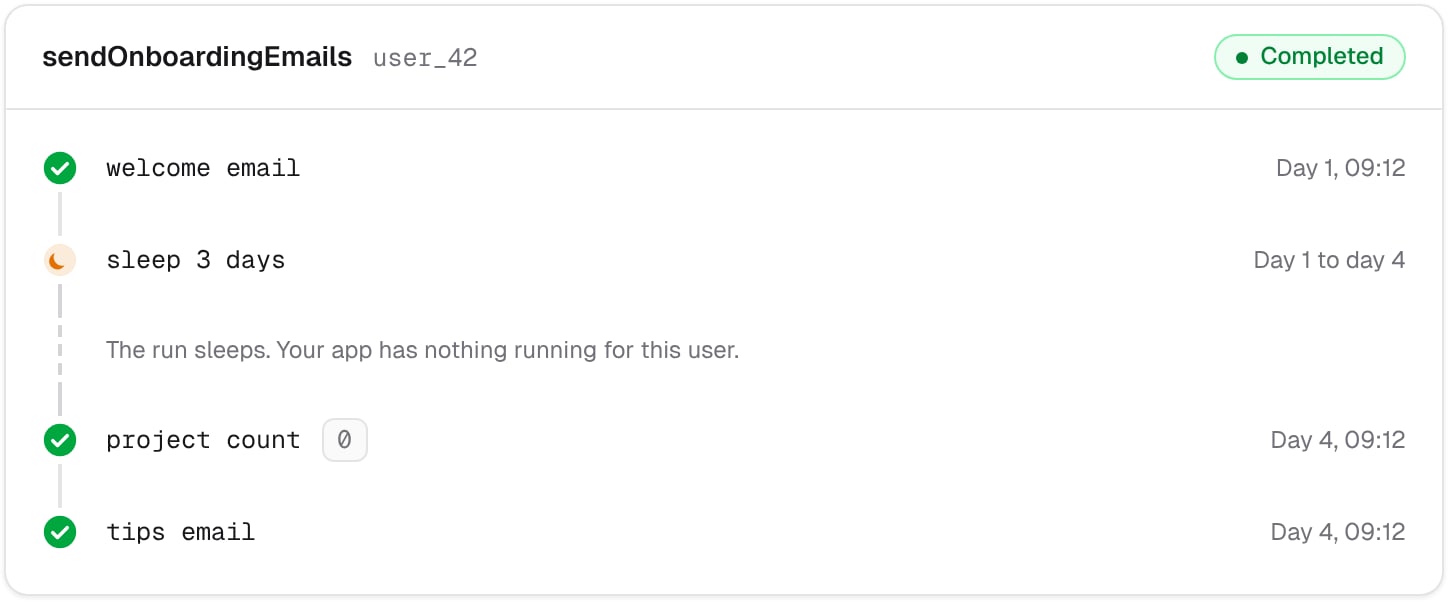
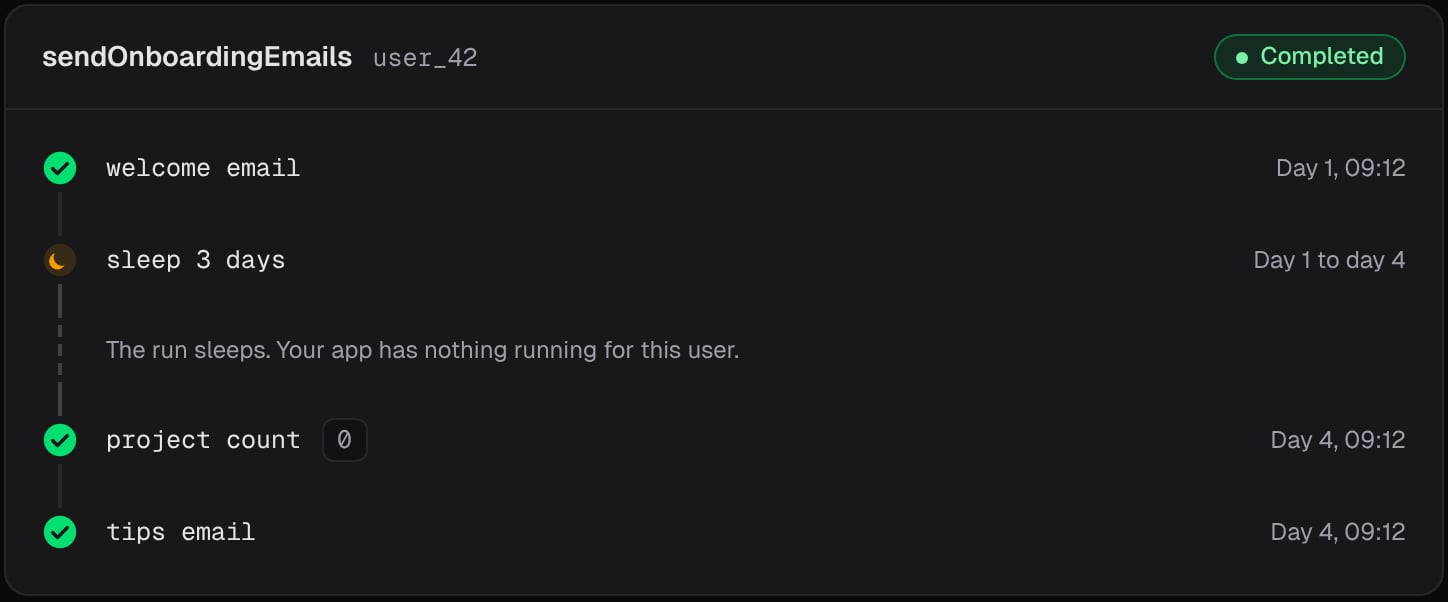
- It sends the welcome email. The step is saved as soon as the email is sent, so a later call never sends it again.
- It sleeps for three days. The call ends there, and nothing runs in your app until Nelkap calls it back.
- It counts the user’s projects. The count is a step too, so it’s saved: if the run picks up again right after, it keeps the same count instead of asking again.
- If the user has no project yet, it sends the tips email.
sendEmail and countProjects with your own functions. Here, sendEmail takes the address, the template, and an idempotency key that your email provider uses to ignore a second send. That way, an email goes out once even if a crash cuts the step off before it’s saved. See When a step can run twice.
Start it at each sign-up
Register the workflow with the event that starts it:nelkap/index.ts
See it run
Open the run in your project’s runs. Right after the sign-up, the welcome email step shows what it returned, and the run is sleeping. Three days later, the run counts the projects, sends the tips if needed, and completes. If a user deletes their account in the meantime, cancel their run from its page, and the tips email never goes out.Ideas to extend it
- Add more emails, each after its own sleep. The series stays in one function, in the order the user receives it.
- Tag each run with the user’s plan, to filter the runs by plan later.
- Record whether the user had a project after three days with
step.score, to chart how well your onboarding works over time.